

SHOPYCORE · COMMERCE, WITH CHARACTER
Your idea deserves its own store.
Build a store that feels like your brand. Sell in Arabic and English, and manage your products, orders and delivery from one place. No coding needed.
- A free shopycore.com address, and your own domain on the plans that include one
- Arabic-first storefronts with full right-to-left layout
- Cash on delivery, InstaPay and wallet payments
14-day free trial, then a 5-day grace period. No card details needed.
Prefer to talk first? Message us on WhatsApp
your-store.shopycore.com
FROM IDEA TO OPEN DOORS
Start with what you have.
A product, a name, a little ambition. Set up your store, put your products in the spotlight and get ready for your first order.
Pick your starting point
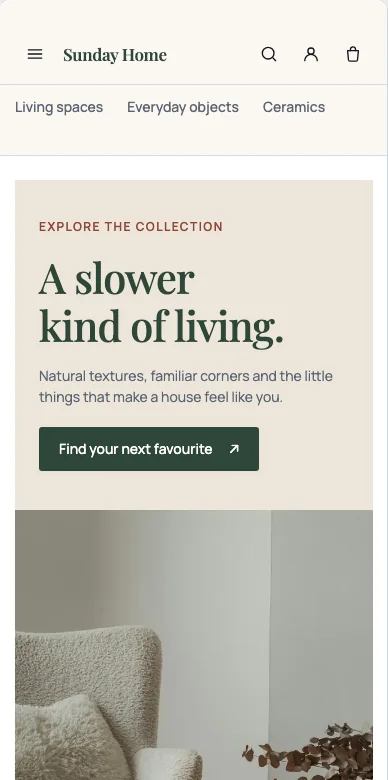
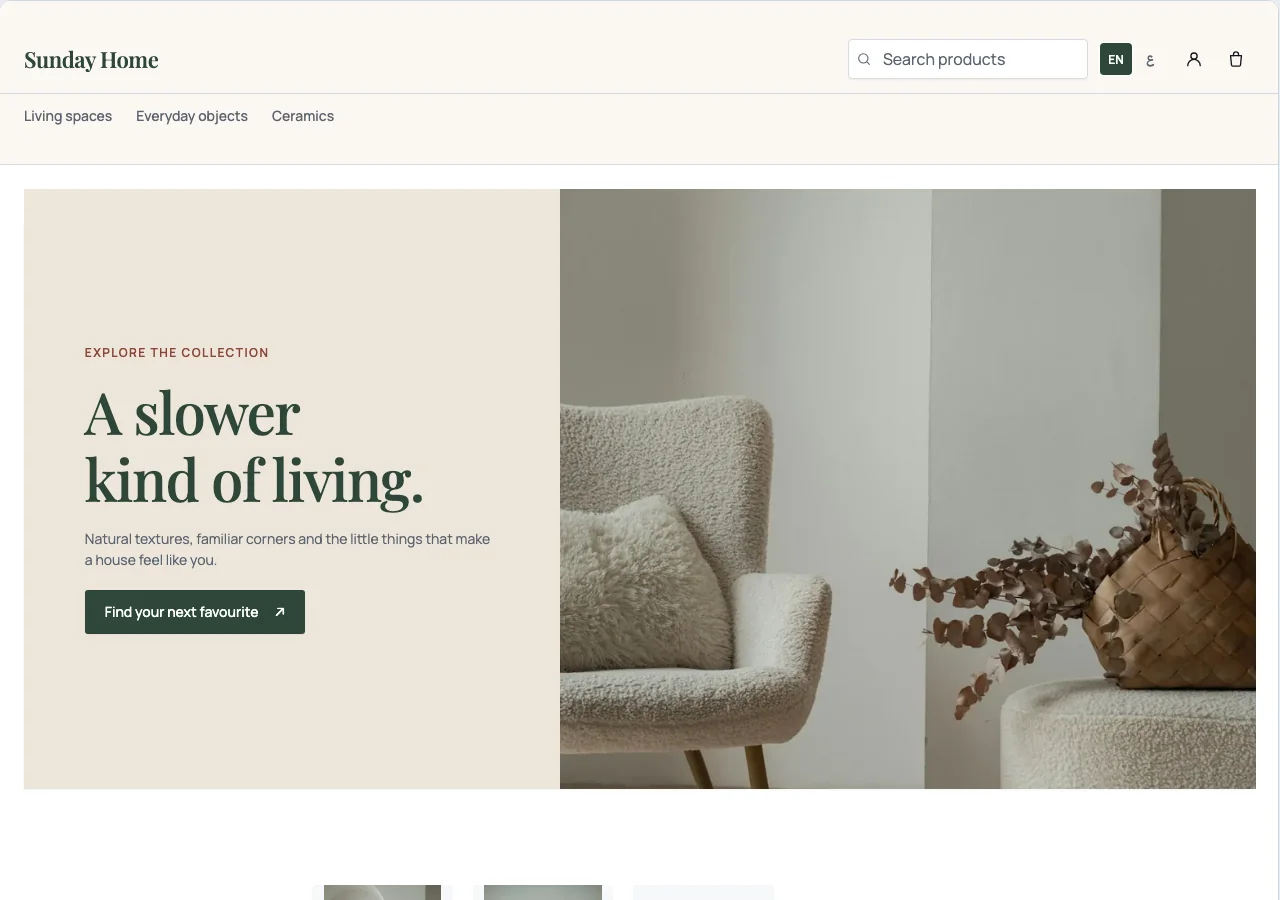
Choose one of 12 designs, then change the words, photos, colours and sections in the storefront studio.
See the designsAdd your products and variants
Add photos, videos, prices, stock and choices like size and colour, in Arabic and English.
See Merchant AdminSet your delivery and payment methods
Set delivery areas and fees, then choose cash on delivery, InstaPay, mobile wallets or deposits.
See payment options
MAKE ROOM FOR YOUR BRAND
A storefront with your point of view.
Choose a starting point. Make it yours. Every design comes with the same cart, checkout and customer accounts.
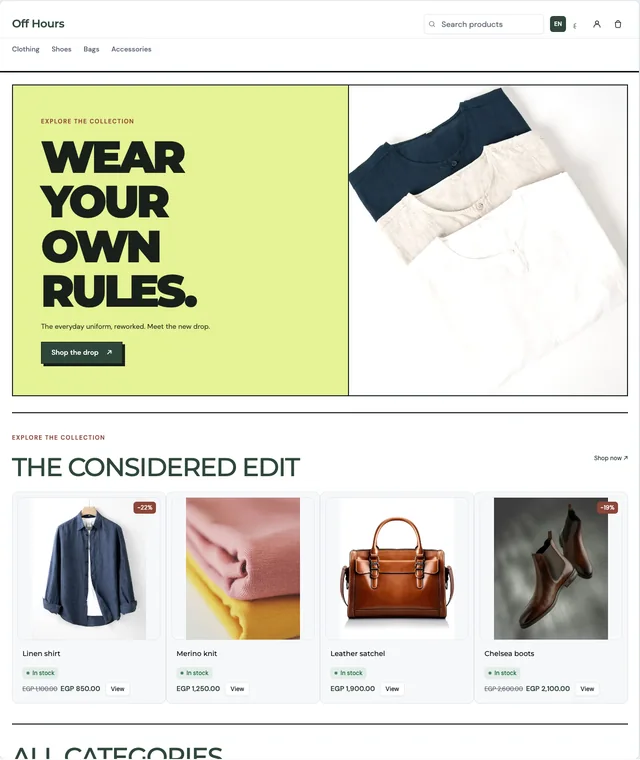
Street Pop
Streetwear & new drops
Nest & Home
Home & everyday living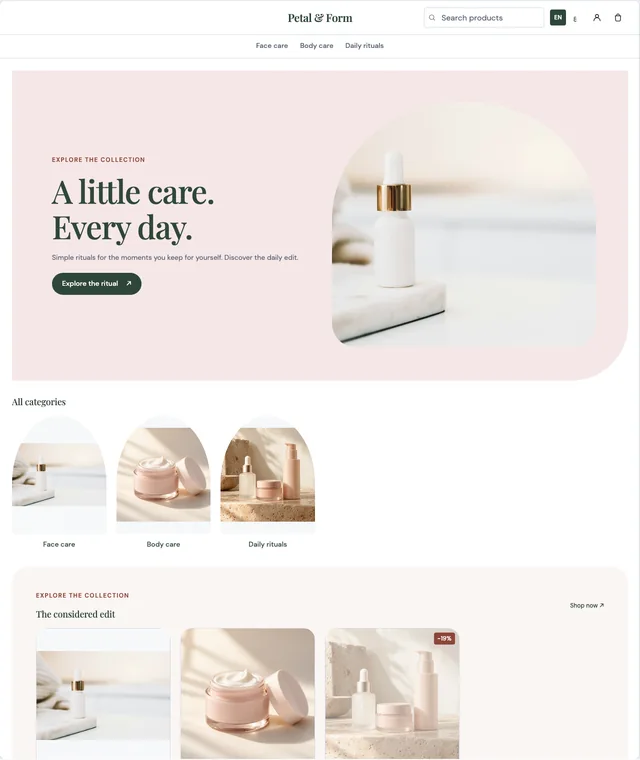
Bloom Beauty
Skincare & self-careYOUR STORE, YOUR TOUCH
See it. Change it. Love it.
Click your headline to write it your way. Change a photo, choose your colours and arrange your sections. See your draft at desktop, tablet and mobile sizes before you publish.
Find your plan ↗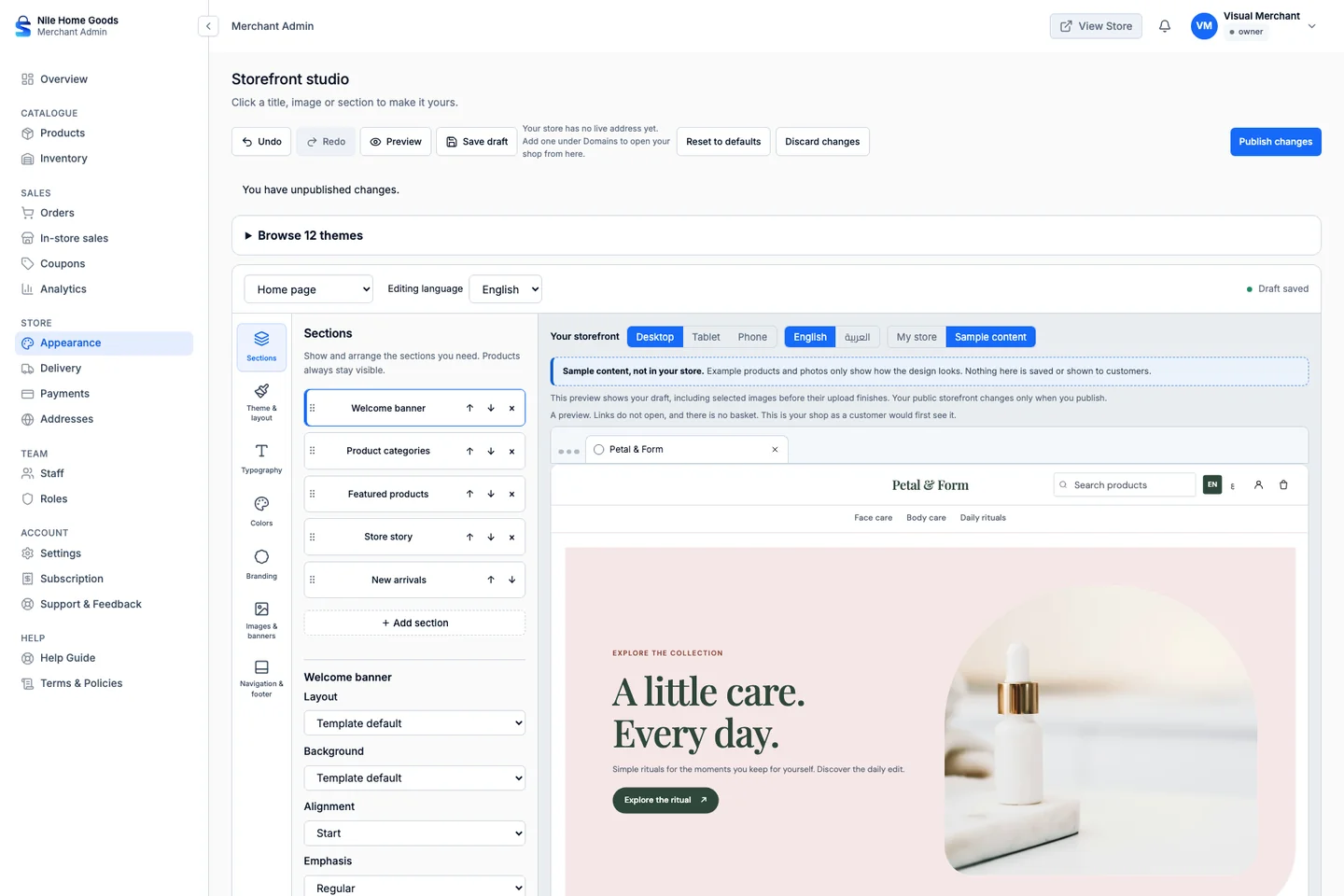
BEHIND EVERY GOOD STOREFRONT
A calmer way to run your day.
Your products, stock and orders stay together in Merchant Admin. Follow order status, configure delivery fees and see how your store is performing.
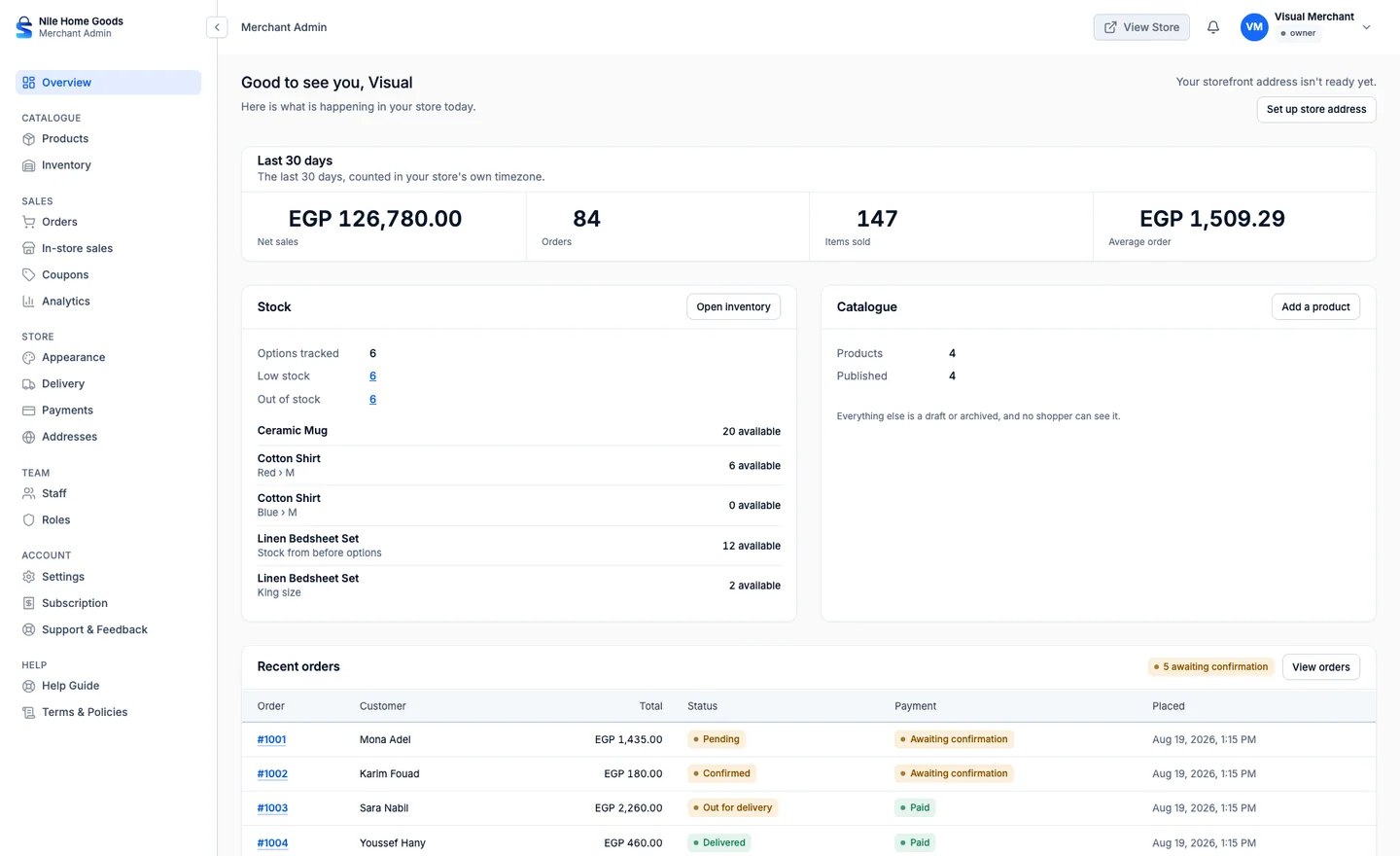
- Products, variant images and videos
- Orders and inventory
- Delivery zones and fees
- Sales and store performance
LET CUSTOMERS PAY THEIR WAY
Familiar ways to pay. One clear checkout.
Give your customers the choice that suits them, with the payment methods you configure for your store.
InstaPay
Share your transfer instructions and review the customer's payment proof.
Mobile wallets
Let customers transfer to your configured wallet and submit their payment proof.
Cash on Delivery
Offer payment in cash when the order arrives.
Deposit Payments
Part now, the rest on delivery.
Deposit payments
Get a deposit upfront. Collect the rest on delivery.
Set your deposit amount, share payment instructions, and track the remaining balance from your dashboard.
- A percentage or a fixed amount, with your own rule for any product
- Offer it beside cash on delivery, or make it required
- See what you received and what is still due on every order
You confirm each deposit yourself once it reaches you, and the order moves ahead after that.
Included in every plan
Payment summary
Deposit Payments- Order total
- EGP 1,000
- Deposit now
- EGP 300
- Remaining on delivery
- EGP 700
Shipping
Manage shipping from one place
Set the areas you deliver to and the fee for each, and keep every order's delivery status up to date, all from one dashboard.
Delivery areas
Choose the areas you serve and the delivery methods you offer in each.
Delivery fees
Set a fee per area, so customers see the real cost before they order.
Delivery status
Update each order as it is prepared, sent out and delivered.
Coming soonCourier integrations with Bosta and ShipBlu.
Plans
Pricing
Plans are billed monthly or yearly.
Loading plans…
Questions
Before you message us
The things merchants ask first, answered plainly.
How do I get a store?
Create it yourself: choose "Create your store", pick a plan, fill in your details and your store's address, and accept ShopyCore's terms. Your store is ready at once and your 14-day free trial of that plan starts straight away. Would rather have help? Message us and we will set it up with you.
How do my customers pay?
Cash on delivery, or by InstaPay or wallet transfer that you confirm in the dashboard. You can also ask for a deposit upfront and collect the rest on delivery. Every confirmation is recorded against the order, so the money and the order never disagree.
Can I use my own domain?
Yes, on the plans that include a custom domain. Every store runs on a free shopycore.com address from the first day, and on those plans your own domain can be pointed at it whenever you are ready.
Is the shop really Arabic?
Arabic first, with the whole layout mirrored rather than translated in place, and English beside it. Product names, categories and delivery instructions are written in both languages.
What is the difference between monthly and yearly?
The same plan, charged once for the year instead of once a month, for less than twelve monthly payments. Switch the billing period above and each card shows its own figure and what the year saves.
Can my team have their own logins?
Yes. You invite people to the store and give each one only the permissions they need, and the permissions are per store rather than per person across the platform.
What happens when the free trial ends?
You keep normal access for 5 more days while you arrange payment. After that your dashboard becomes read-only until ShopyCore confirms your payment and activates your store. You can still sign in, see everything and contact us. Your shop stays online and keeps taking orders while you arrange payment. If your subscription ends and stays unpaid, we always warn you by email before anything changes, as our Terms explain.
Still not sure it fits? Ask us directly
Ready when you are
Open your shop today
Create your store yourself in a few minutes, or send us a message and we will set it up with you.